
See what your pipeline will run before you merge.
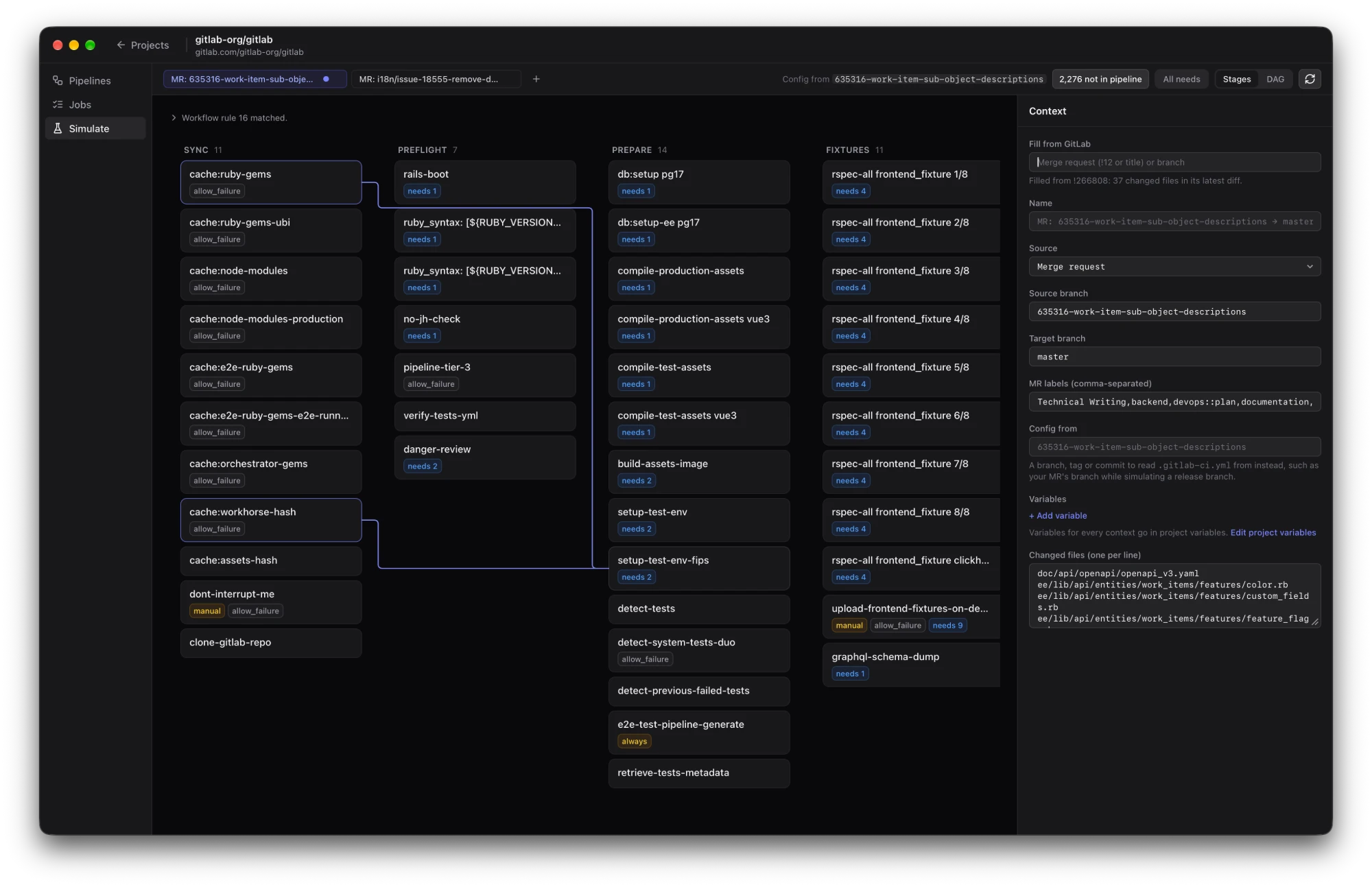
Simulate any branch, tag or merge request - or your release branch with the config from your merge request. See every job, the rule that decided it, and what changes when your variables, labels or files do.
 macOS 14 or later
See it in 30 seconds
Simulate your release branch with the config from a merge request, before it's merged.
Every rule GitLab tries, with the values it read - and the errors it would reject the pipeline with.
Try a pipeline without running one.
Pick a branch, tag or merge request - or fill it in from GitLab - and see the pipeline it would get. Then change things and watch it update.
- Set variables, merge request labels and changed files
- Needs graph, stages, child pipelines and the workflow outcome
- Every job left out, one search away
Know exactly why a job runs. Or doesn't.
Every job shows each rule GitLab tried, in order, as the YAML you wrote - with the value of every variable it read.
- Which rule matched, and why the earlier ones didn't
- Variables your settings may set are flagged, not guessed
- Image, script, needs and variables for every job
- Rule 1if is false
if: $CI_COMMIT_TAG$CI_COMMIT_TAG not set - Rule 2matched
if: $CI_COMMIT_BRANCH == "main" && $DEPLOY_ENABLED
when: manual
$CI_COMMIT_BRANCH = "main"$DEPLOY_ENABLED = "true" (default in config)
See where the time went.
Open a finished pipeline as a waterfall of when each job waited and ran, and find the job that holds everything else up.
- Browse recent pipelines and jobs, even offline
- Filter by branch, trigger and result
- Search jobs by name across pipelines
Built for real-world configs
Thousand-job monorepos included.
Follows your includes
Local, project and wildcard includes are fetched and merged, so big configs simulate as GitLab runs them.
Speaks real GitLab YAML
extends, !reference, needs, workflow rules and child pipelines - the parts that make CI hard to read.
Compare what-ifs
Keep several contexts side by side as tabs - one per merge request, branch or idea.
Fast, and offline
Pipelines and jobs are kept on your Mac, so lists open at once and stay browsable without a connection.
Any GitLab
Works with GitLab.com, self-managed instances and GitLab Dedicated.
Your token stays yours
A read-only token, kept in your Keychain and sent only to your GitLab. No accounts, no servers in between.
Questions
Does simulating start a pipeline on GitLab?
No. Pipeline Lens only reads from GitLab - your config, files and past pipelines. Simulations run on your Mac and never create pipelines or jobs.
Is the simulation engine open source?
Yes. Simulations run on gitlab-ci-parser, our MIT-licensed TypeScript library - you can read exactly how it decides which jobs run, or use it in your own tools.
What access does it need?
A personal access token with the read_api and read_repository scopes. Nothing that can write to your projects.
Where does my token and data go?
Your token lives in your Mac's Keychain and is only sent to the GitLab instance you added. Pipeline Lens has no account, no server of its own, and no analytics. See the privacy policy.
Does it work with self-managed GitLab?
Yes - GitLab.com, self-managed instances and GitLab Dedicated are all supported.
What do I need to run it?
A Mac with macOS 14 or later.
Stop guessing what your CI will do.
Pipeline Lens for macOS 14 or later.