
Your Immich library, on the biggest screen at home.
Pick the albums you love and Glance plays them as a quiet, continuous slideshow - with an optional clock and weather. No tracking, and read-only access to your own server.
 tvOS 18 or later · Requires a self-hosted Immich server (v3+)
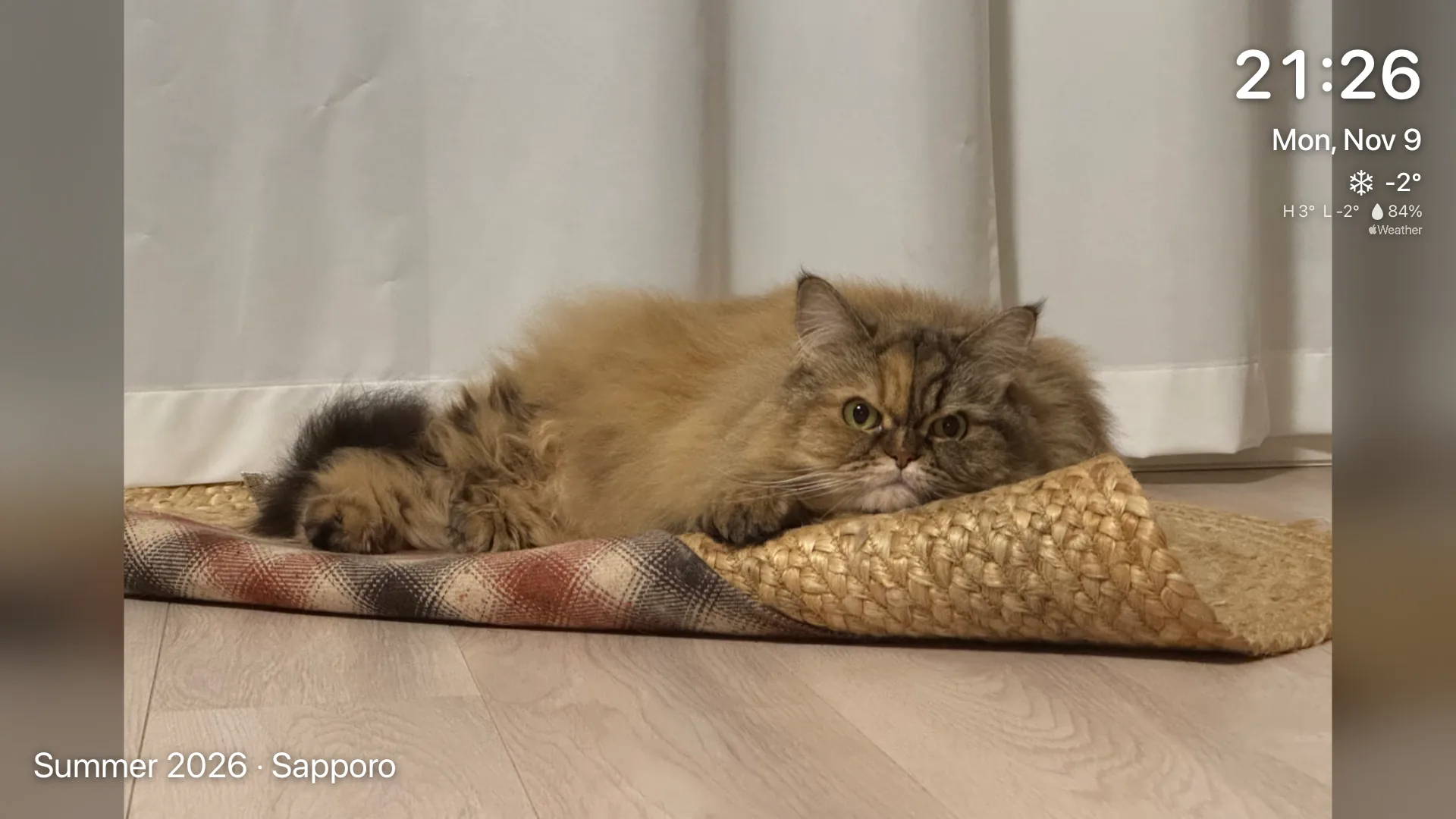
Play exactly the photos you want.
Pick any mix of albums - shared albums and Favorites included - or the whole library.
- Screenshots are left out by default
- Exclude more with Immich tags, like receipts or documents
- New photos in shared albums appear within minutes
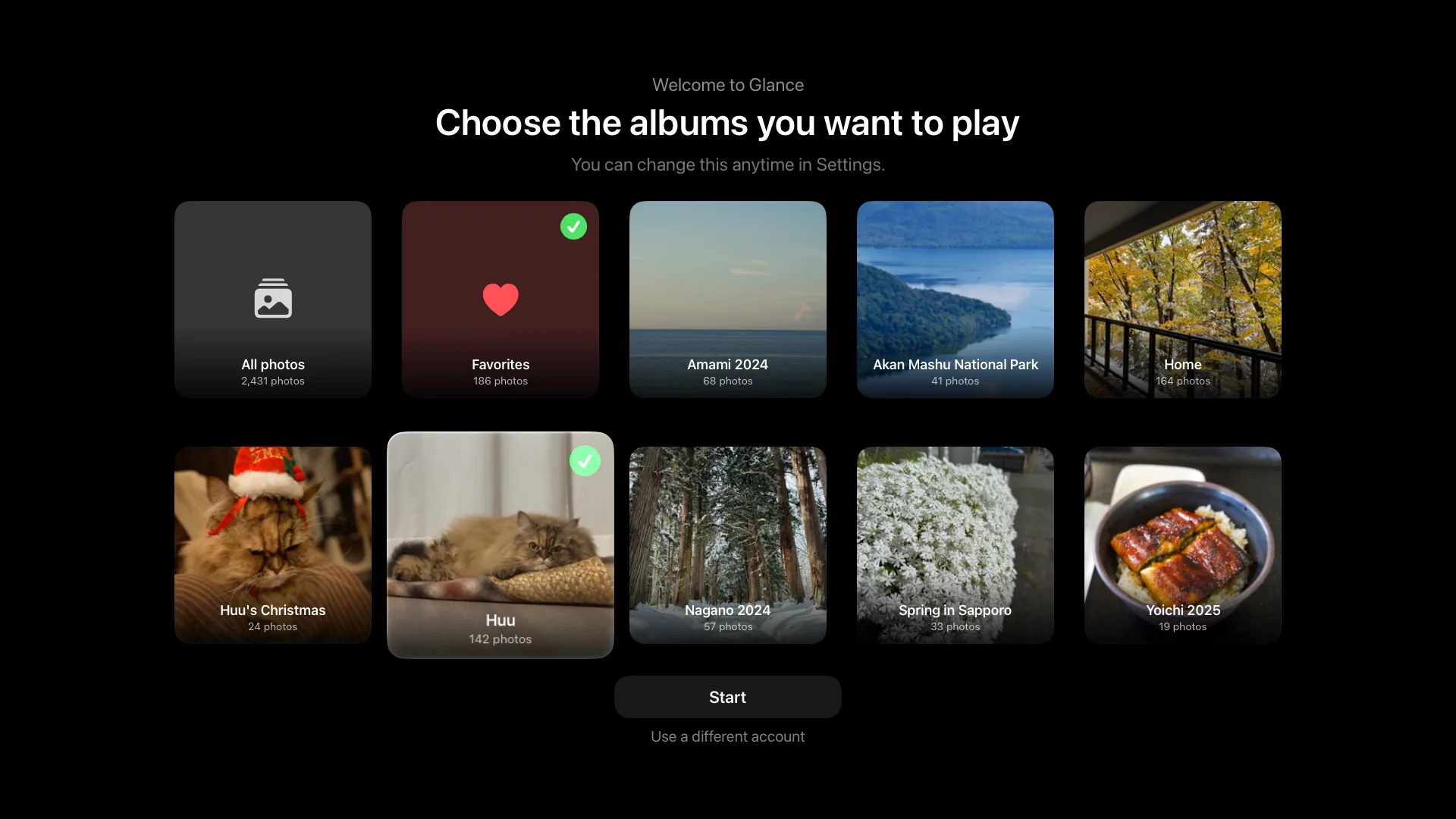
A slideshow that fits your room.
Set how long each photo stays, the order it plays in, and where the clock and weather sit.
- Newest, oldest or random; grouped by place, person or album
- Standard or 4K quality
- Nine positions and three sizes for the clock, weather and photo details
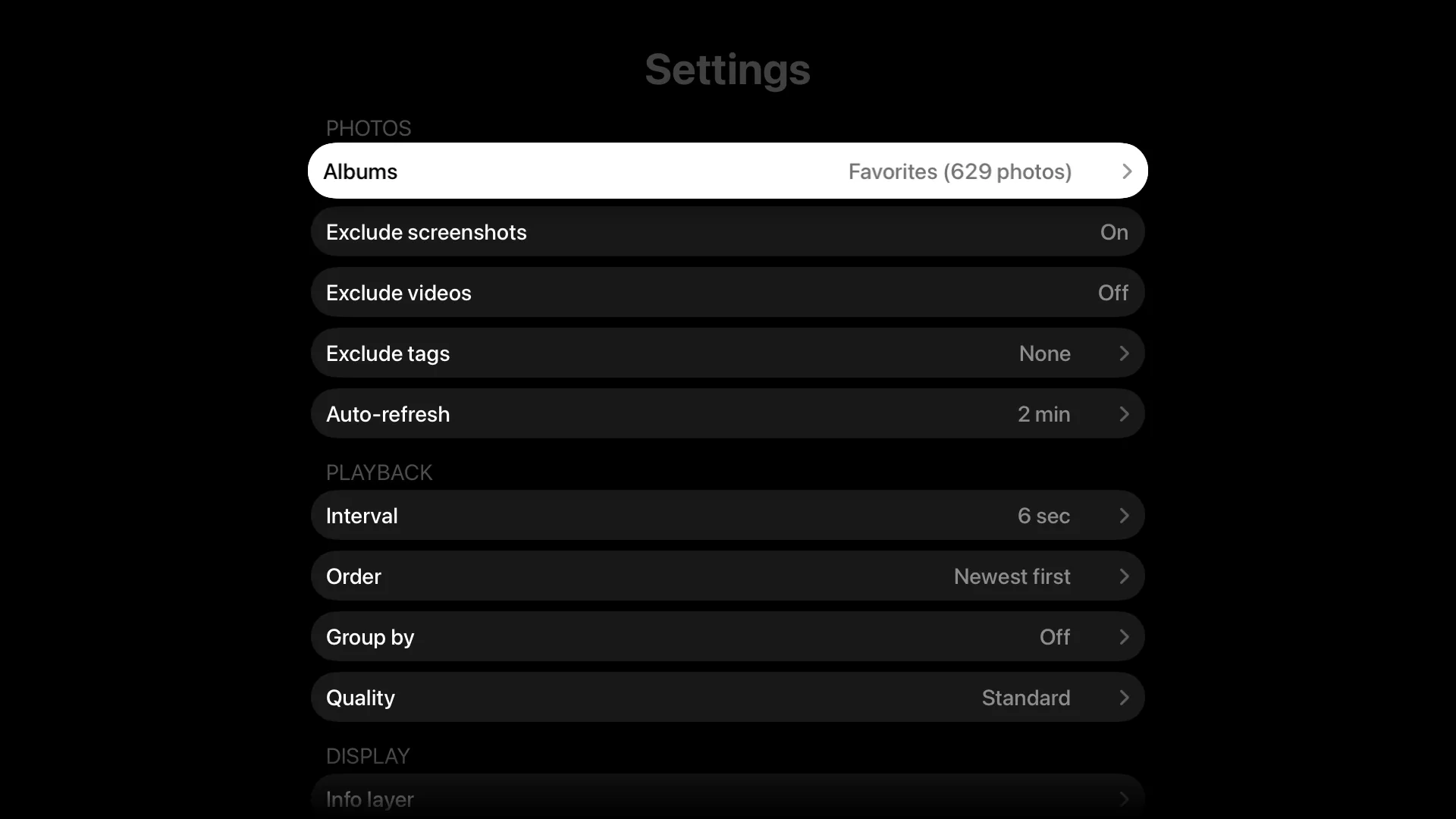
Nothing on screen but your photos.
Glance starts playing as soon as it opens. There are no buttons to dismiss - the remote does everything.
- Left and Right to change photos
- Select shows or hides the clock, weather and photo details
- Up opens Settings - leave them for two minutes and they close on their own
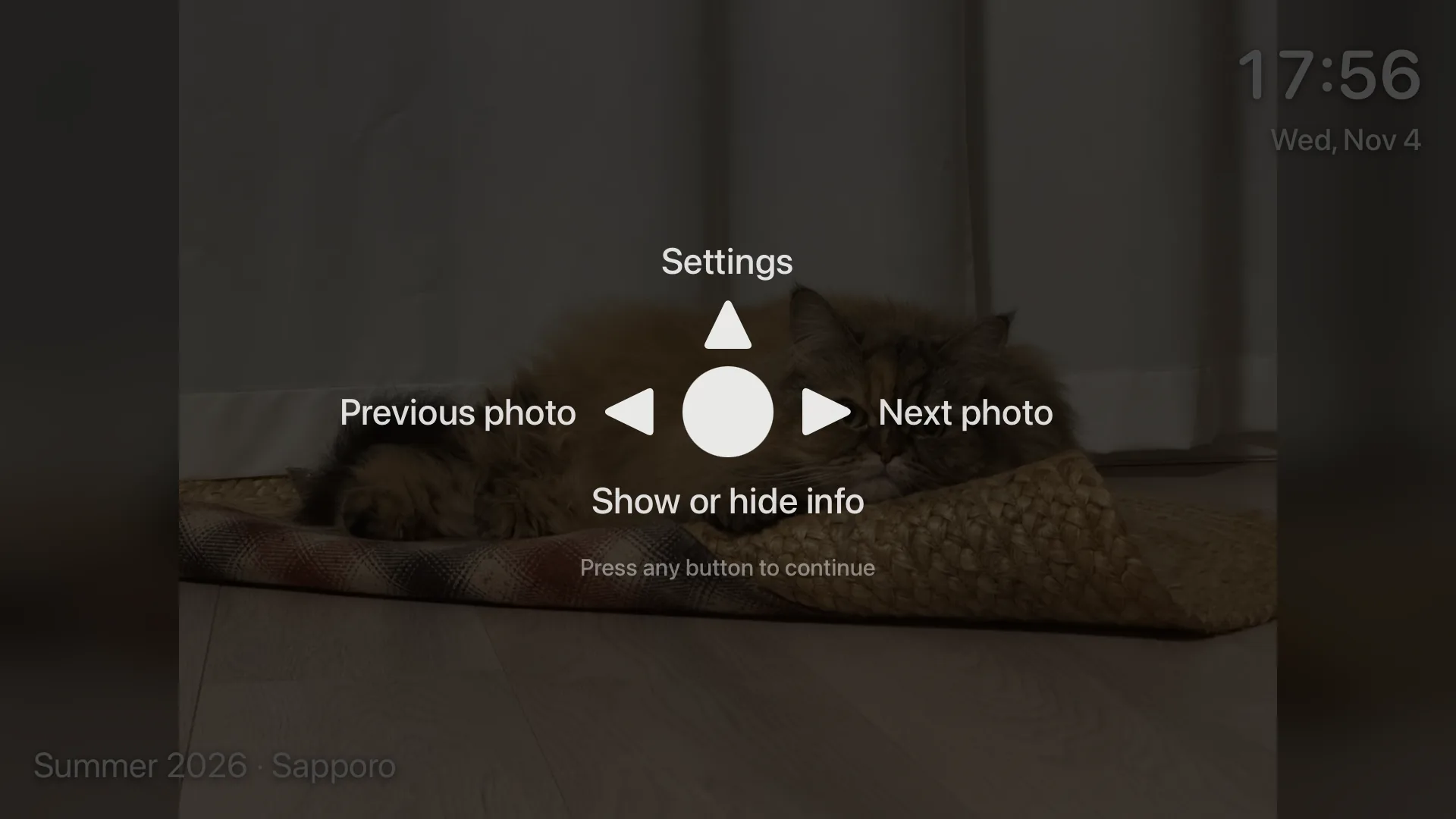
Made for the TV
Set it up once, then just let it play.
Gentle motion
Smooth crossfades with a subtle Ken Burns effect; panoramas pan slowly across the screen.
Every photo, whole
Portrait and non-16:9 photos are shown in full over a soft blurred background - never cropped.
Videos, muted
Videos play without sound and don't interrupt music already playing. Or exclude them entirely.
Kind to your screen
The clock and weather drift slowly over time to help prevent burn-in on always-on TVs.
Read-only by design
Glance signs in once and creates a read-only API key. It never stores your password or changes your library.
At home or away
Connect over your local network or remotely, over HTTP or HTTPS.
Questions
What do I need to use Glance?
An Apple TV with tvOS 18 or later, and a self-hosted Immich server, version 3 or later. Glance doesn't host or store photos itself.
Can Glance change or delete my photos?
No. Glance signs in with your Immich email and password once, creates a read-only API key, and forgets the password. It can only view your library.
Where does my data go?
Glance talks only to your Immich server - and, if you turn on weather, sends the city you chose to Apple Weather. There is no account, no advertising and no analytics. See the privacy policy.
Does it work outside my home network?
Yes. Enter any address your Apple TV can reach - a local IP, a hostname, or a public domain, over HTTP or HTTPS.
Is it a subscription?
No. Glance is a one-time purchase of US$2.99 (prices vary by region).
I can't find Glance on the App Store.
Search for Glance Frame - that's its name on the App Store. Or use the download button on this page.
Is Glance made by the Immich team?
No. Glance is an independent app by Monk Studio and is not affiliated with or endorsed by the Immich project.
Let your photos out of the phone.
US$2.99, one-time purchase, no subscription.
Listed as Glance Frame on the App Store.